
API Keys
Use the API keys page in app.memorilabs.ai to create and manage keys for your organization.
Overview
The table includes:
- Name
- Key (masked)
- Created at
- Last used
If no keys are connected yet, the table shows No connected APIs.
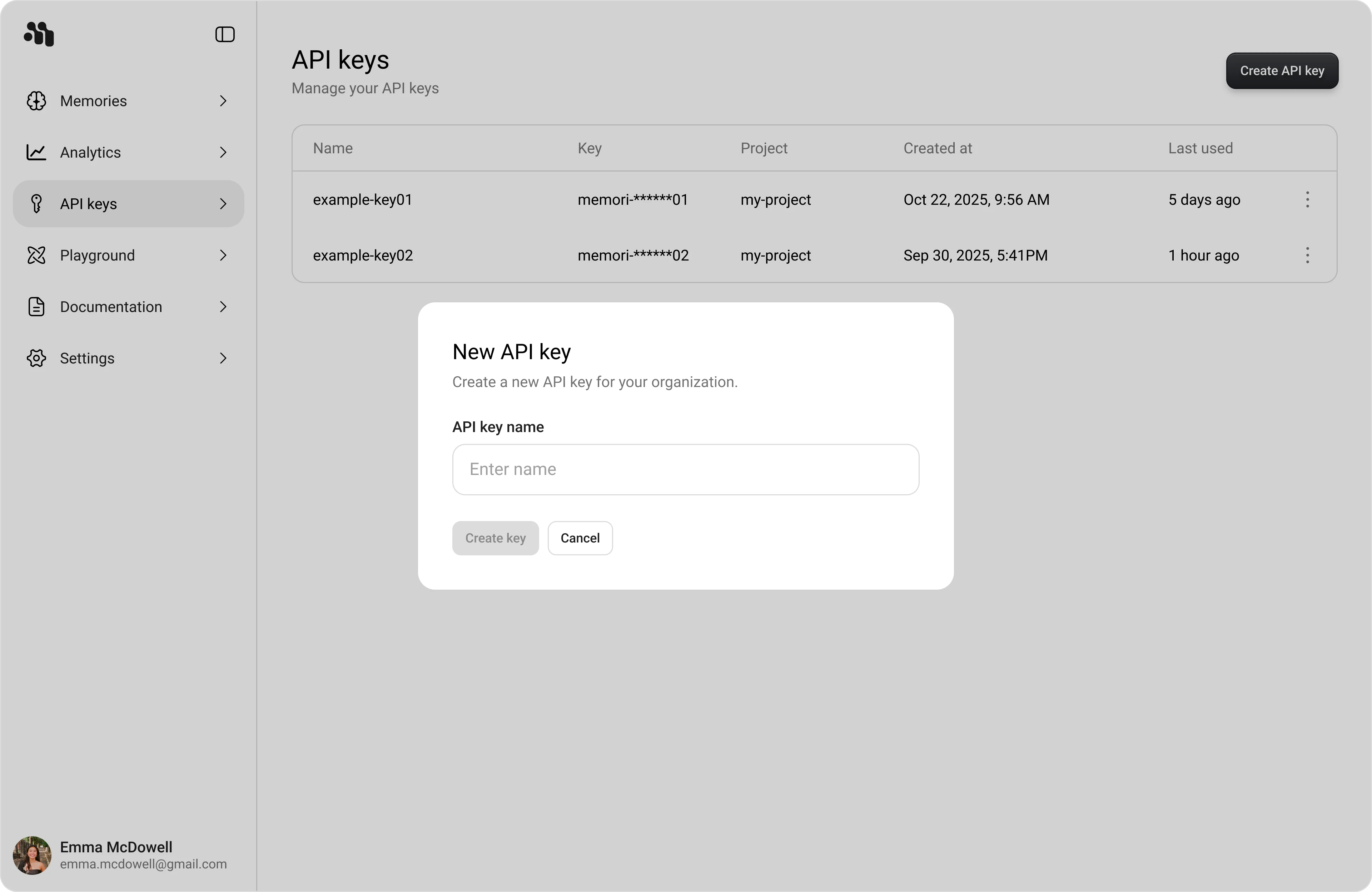
Create a New API Key
- Open API keys in the dashboard sidebar.
- Click Create API key.
- In New API key, enter a value in Name.
- Click Create key.
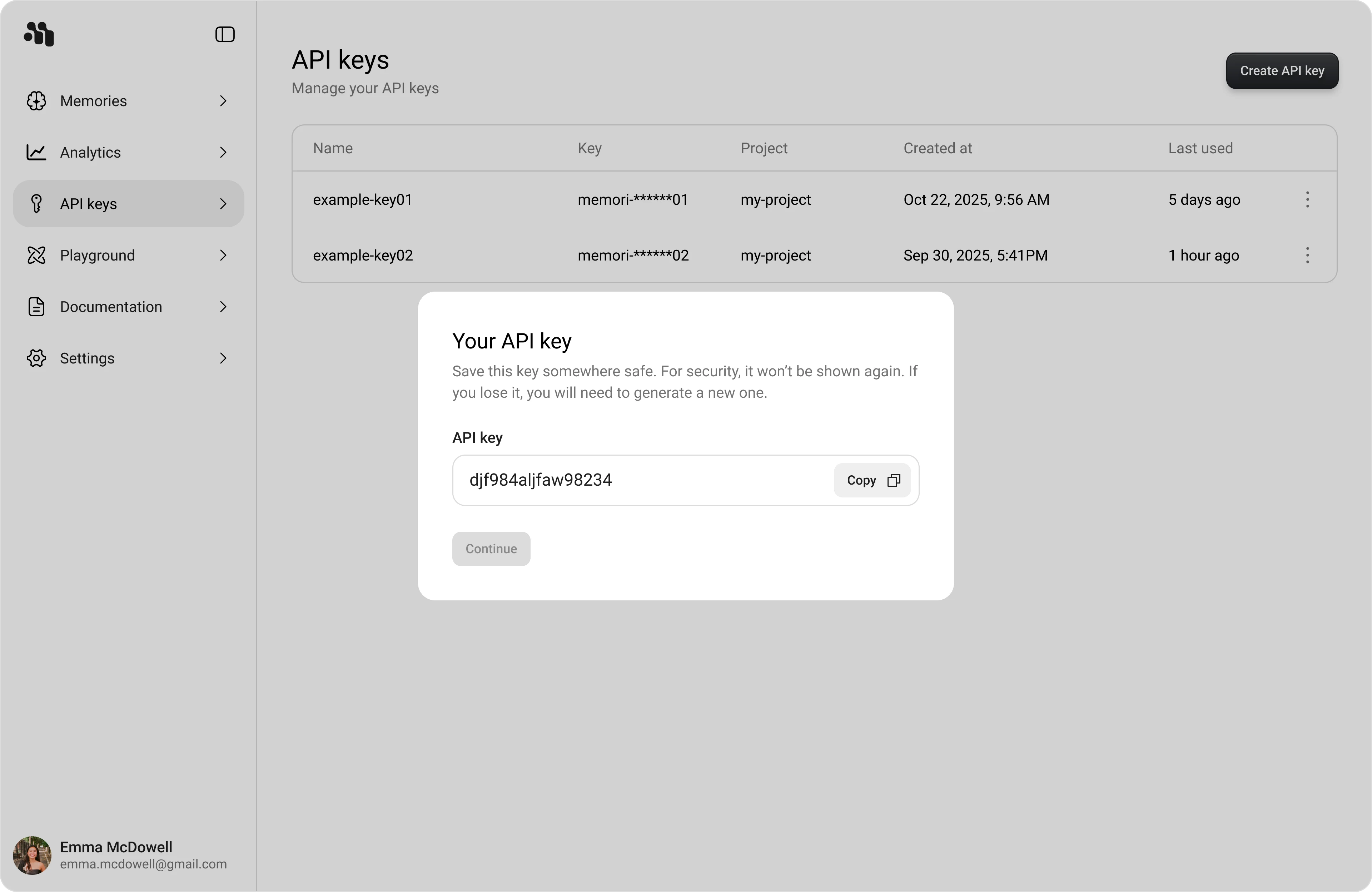
Copy the Key (Shown Once)
After creating a key, the Your API key modal appears with the full key value and a Copy button.
- Click Copy.
- Click Continue to return to the API keys table.
Security Best Practices
- Store keys in environment variables or a secure secrets manager
- Rotate keys immediately if you suspect exposure
- Use separate keys for development, staging, and production