
Memories
Use Memories in app.memorilabs.ai to inspect all memories created by your configured applications and agents.
The page supports two ways to explore data:
- Table view for row-based inspection
- Knowledge graph view for relationship-first exploration
Start in Table View
The default table flow uses two tabs:
- Memories for individual memory rows
- Subjects for extracted entities/subjects and their counts
Use Semantic search to find relevant rows quickly, then open the view menu to switch between Table and Knowledge graph.
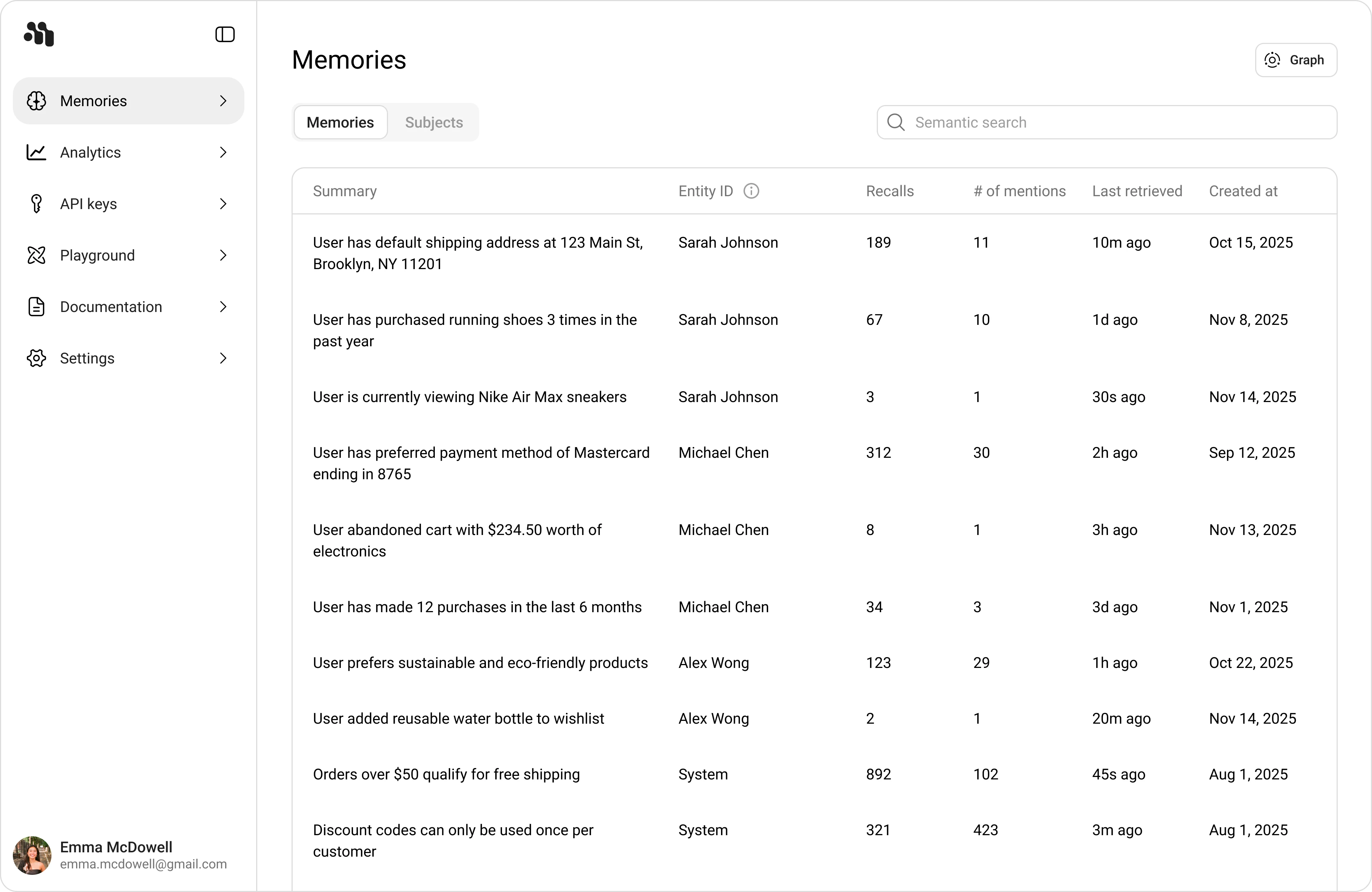
Memories tab
- Summary: The memory text captured from conversations
- Entity ID: The associated entity for that memory
- Recalls: Number of times this memory was retrieved
- # of mentions: How often this memory was mentioned in context
- Last retrieved: Most recent retrieval time
- Created at: When the memory was first created
Subjects tab
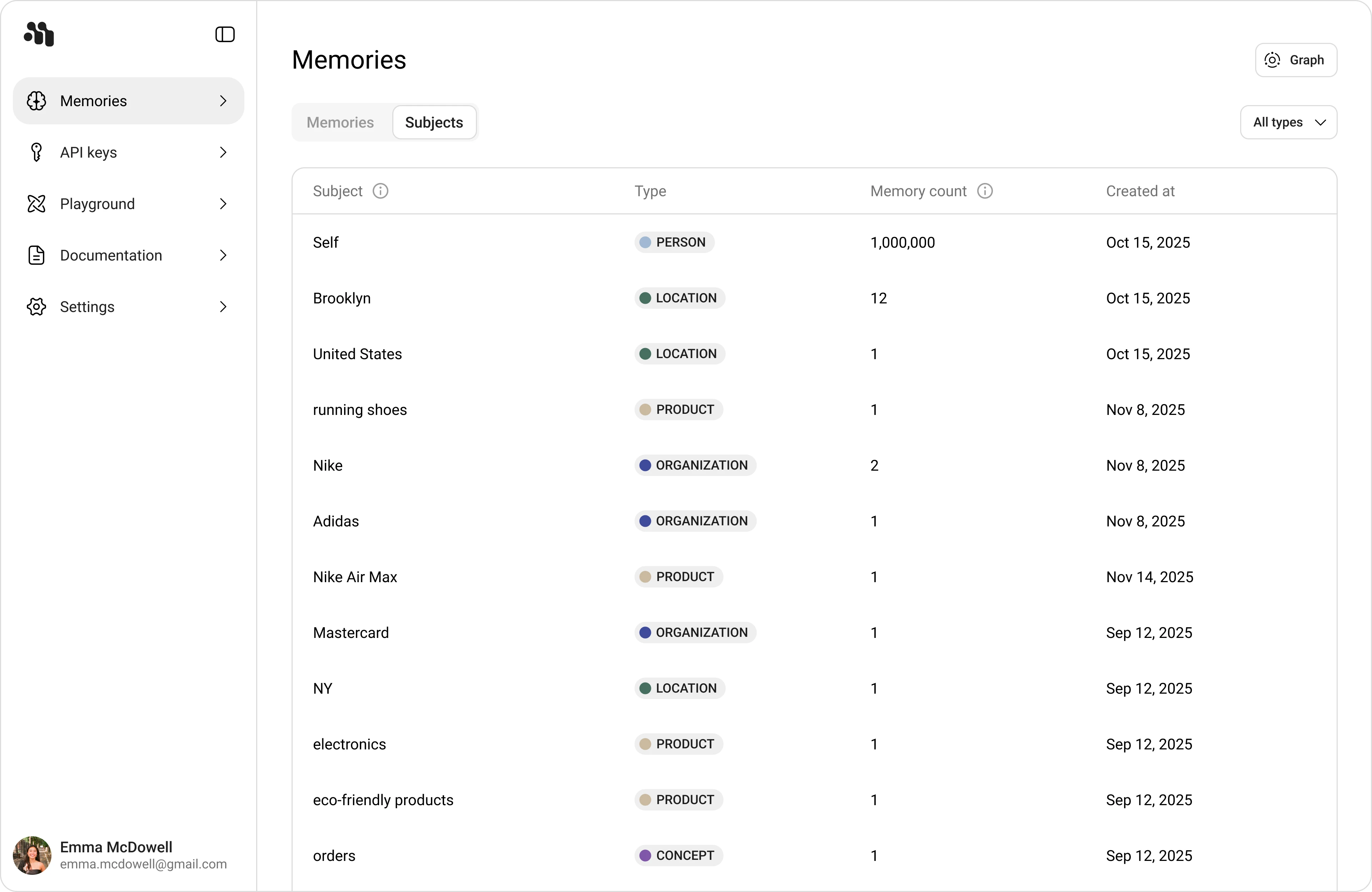
- Subject: Extracted subject/entity value
- Type: Entity class (for example
GPE,PRODUCT,ORGANIZATION,MONEY) - Memory count: Number of memories linked to that subject
- Created at: Subject creation date
The All types filter helps narrow the table by subject type.
Open Memory Details
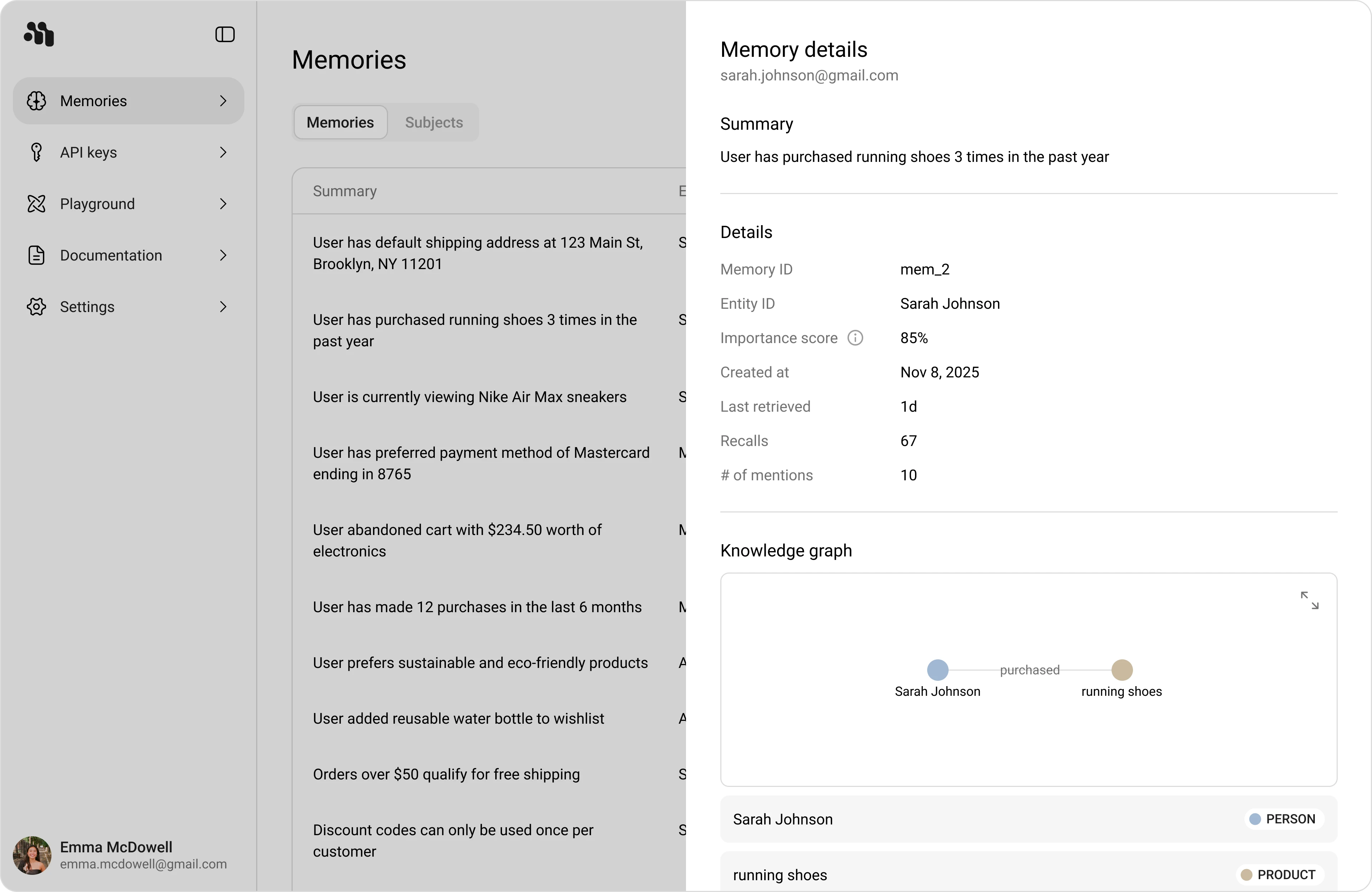
- In Memories, click any row.
- Review the Memory details panel.
- Use the embedded Subjects graph and list to inspect associations.
The Details section includes:
- Memory ID
- Entity ID
- Importance score
- Created at
- Last retrieved
- Recalls
- # of mentions
Switch to Knowledge Graph
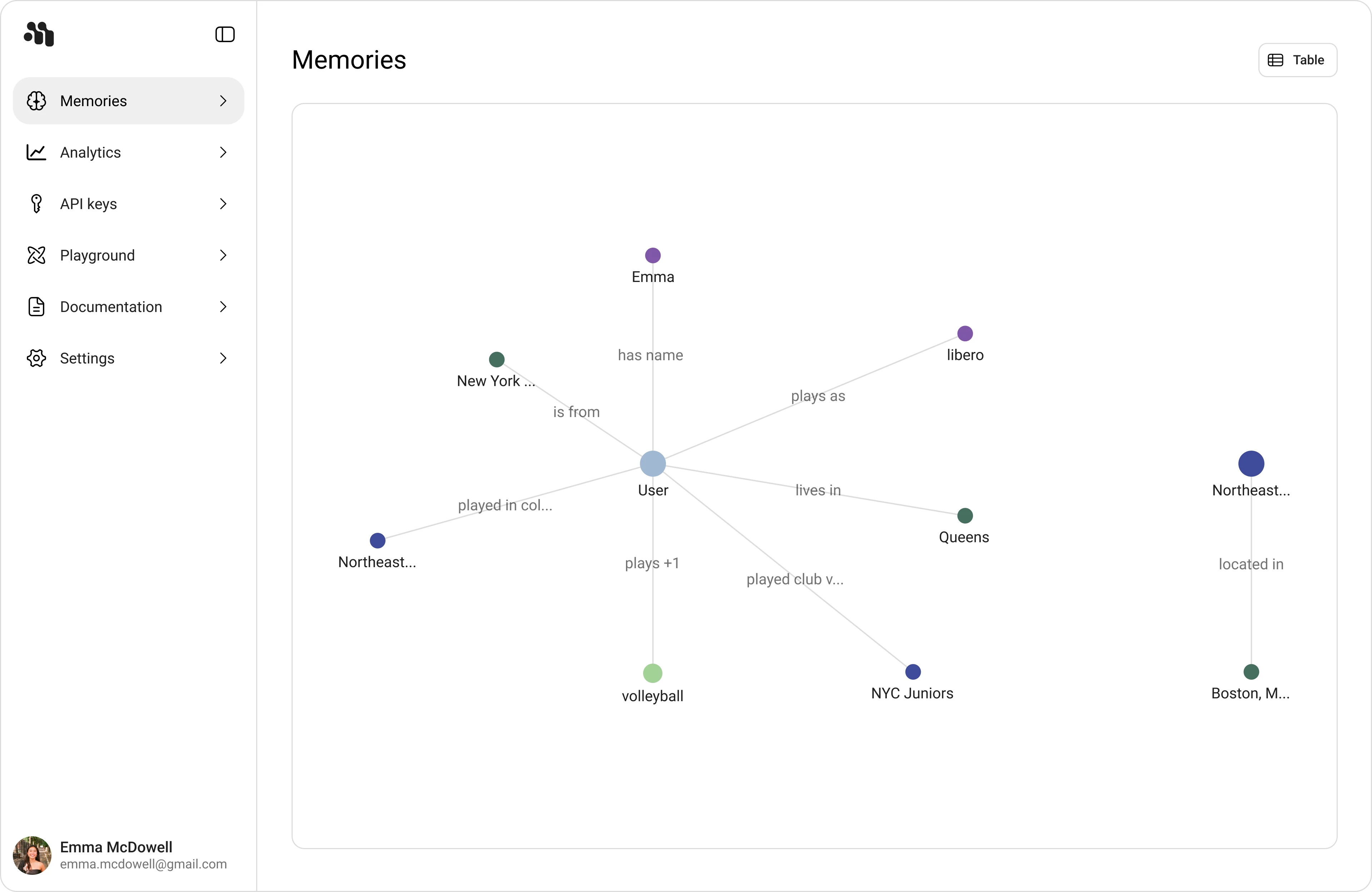
- Open the view switcher and select Knowledge graph.
- Use the Entities tab to explore nodes and relationships.
- Filter with Search memories and time range (for example All time).
Recommended Exploration Workflow
- Start in Memories table to validate recency and retrieval metrics.
- Open Memory details to verify entity associations and subject links.
- Switch to Knowledge graph to follow cross-entity relationships.
- Open an entity and trace back through Associated memories.