Playground
Use Playground in app.memorilabs.ai to test how conversation turns become extracted memories and relationship graphs.
Playground Layout
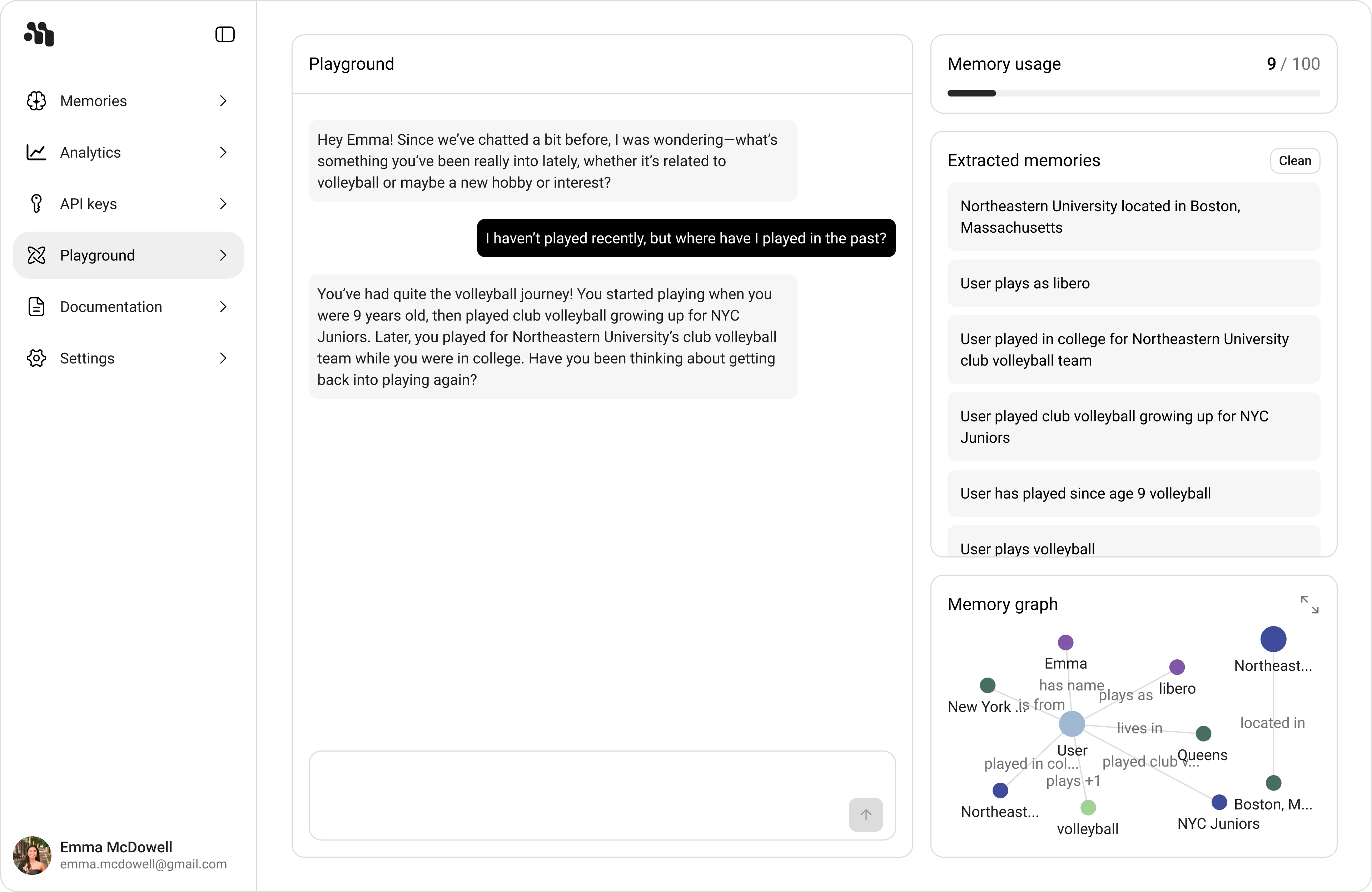
The screen is split into three working areas:
- Left navigation: Memories, API keys, Playground, Documentation, Settings
- Center panel: Playground conversation and composer
- Right column: Memory usage, Extracted memories with Clean, and Memory graph with expand
This layout keeps input, extracted output, and relationship visualization on one page so you can validate memory behavior quickly.
Core Workflow
- Chat in Playground with user details or preferences.
- Watch new records appear in Extracted memories.
- Verify those same facts and links in Memory graph.
- Use the graph expand control for deeper inspection when needed.
Memory Graph
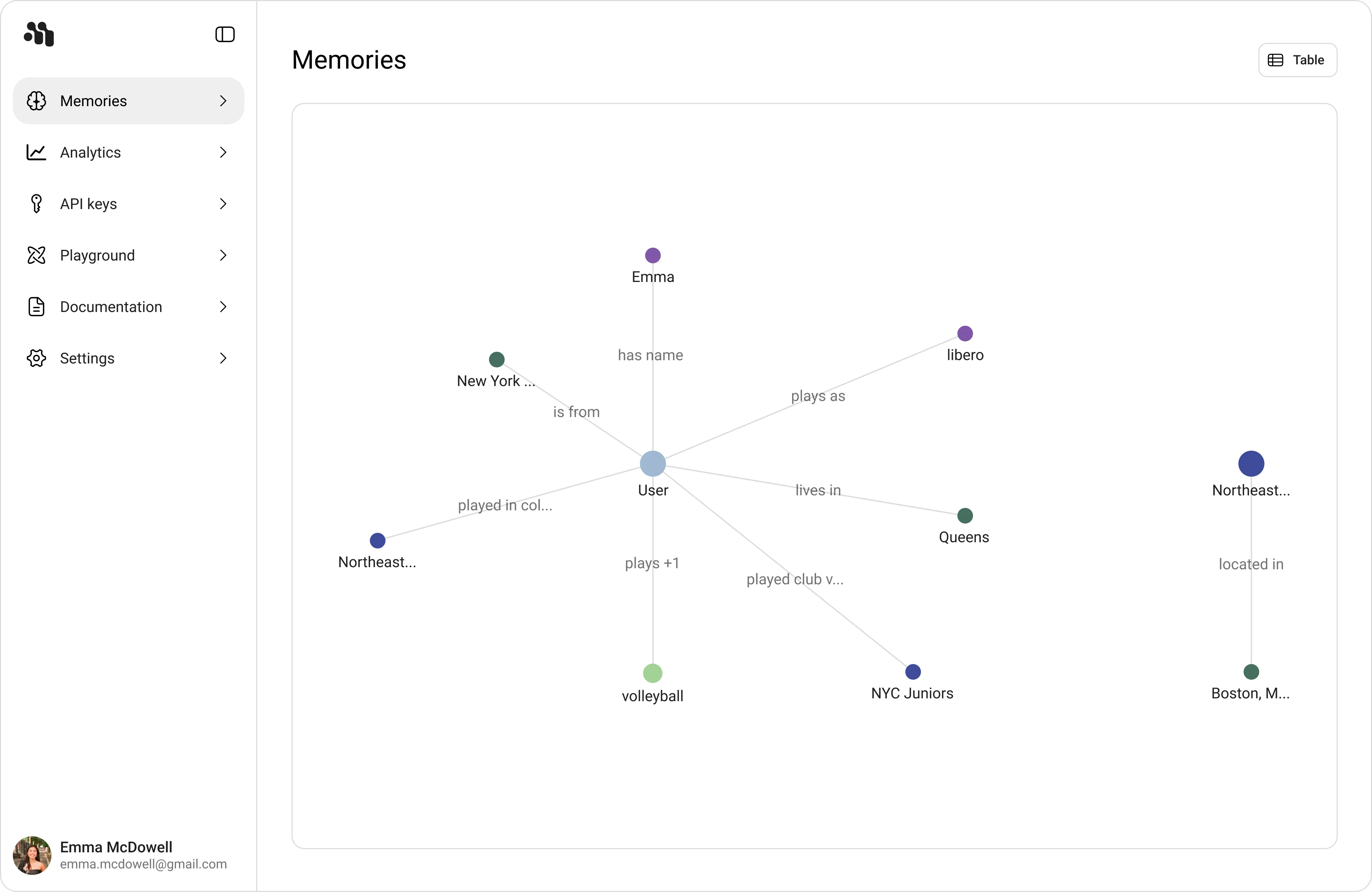
Memory graph is a relationship view over the same memory set shown in Extracted memories.
- Nodes represent subjects and entities (for example:
User,Emma,Queens,NYC Juniors). - Edges show relation text (for example:
has name,lives in,plays as). - Use the expand icon to open a larger graph canvas for graph-first review.
Extracted Memories and Persistence
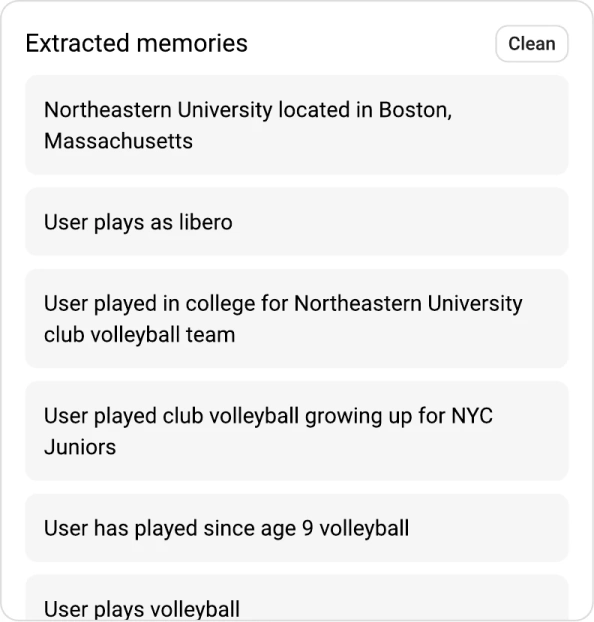
The Extracted memories list shows normalized memory statements such as:
Northeastern University located in Boston, MassachusettsUser plays as liberoUser played club volleyball growing up for NYC Juniors
These memories are persisted as records in the database and are generated asynchronously through advanced augmentation after conversation turns are processed.